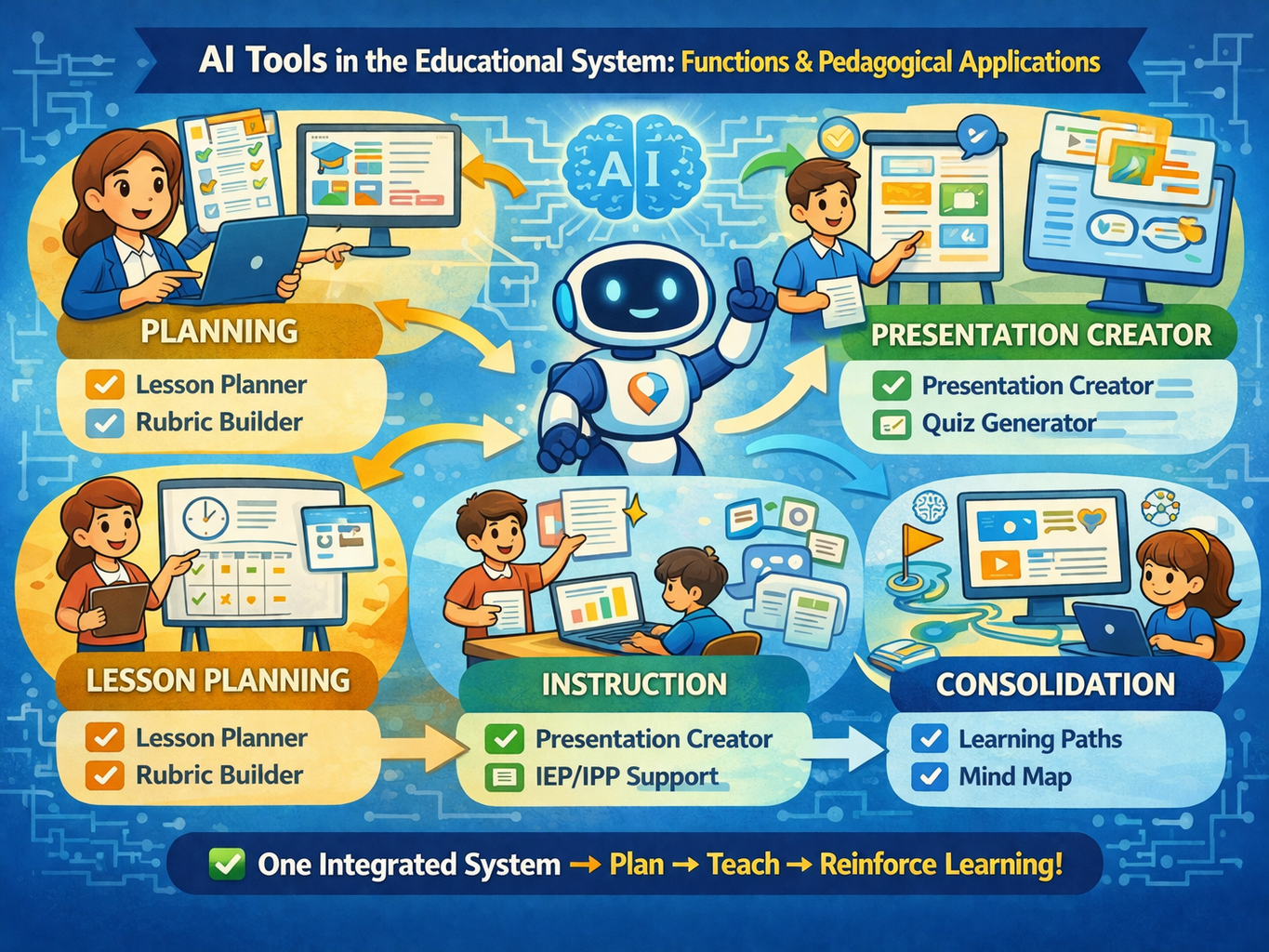
In digital educational environments, the effectiveness of a platform depends less on the number of features and more on the alignment between tools, instructional goals, and usage strategies. In this article, we analyze AI-powered educational system tools and their pedagogical applications in planning, lesson delivery, assessment, and learning consolidation.
How to Organize the Use of AI-Powered Educational System Tools
To avoid superficial use of technology, it is recommended to map each tool to a specific instructional function. Instead of “using everything,” the teacher defines the objective, selects the appropriate tool, and evaluates learning evidence. This approach improves methodological consistency and supports decision-making throughout the academic term.
Within the teaching planning axis, the Lesson Planner enables structured organization of objectives, content, methodology, and assessment. The Rubric Creator enhances assessment transparency by clearly defining criteria and performance levels. In inclusive education contexts, the IEP/IDP (Individualized Education Plan) module supports curriculum adaptation and monitoring of differentiated learning paths.
AI-Powered Educational System Tools in Lesson Delivery
In the lesson delivery axis, the Presentation Creator optimizes content organization and conceptual sequencing. The Problem-Based Learning tool strengthens active learning methodologies by encouraging analysis, decision-making, and application of knowledge in contextualized situations. The Quiz Creator supports diagnostic and formative assessment with rapid feedback.
Another significant benefit lies in pedagogical time management. With materials structured more efficiently, teachers can dedicate more energy to facilitation, student engagement, and adapting strategies to different performance levels. This shift from operational effort to pedagogical effort tends to improve the overall classroom experience.
Study and Consolidation with AI-Powered Educational System Tools
In the study and learning consolidation axis, resources such as Learning Paths, Mind Maps, and the Flowchart Tool support cognitive organization, visualization of relationships, and content progression across levels of complexity. For media review, Video Summaries and Audio Summarizers reduce cognitive load and assist in retrieving key information.
For students, this set of tools is especially useful for pre-assessment review. By combining synthesis, visualization, and guided practice, learners can review extensive content with greater focus and less distraction. The expected outcome is increased autonomy without compromising academic rigor.
Text Production and Assessment
In the text production and language axis, the Rewriter allows adjustment of textual complexity, the Translator expands access to sources in different languages, and the Essay Grader provides structured feedback for improving argumentation and formal writing.
There are also advanced visualization features, such as Image to 3D, which are particularly useful in subjects with strong spatial and modeling components. From a pedagogical perspective, such tools enhance understanding of structures, relationships, and processes that are often abstract in purely textual explanations.
Academic Criteria for Adoption
From an academic standpoint, the main recommendation is to guide usage by instructional function:
- planning tools to prepare;
- mediation tools to teach;
- practice tools to exercise;
- assessment tools to demonstrate learning.
Additionally, it is important to define minimum monitoring indicators: participation, quality of submissions, progression between activities, and argumentative consistency in student work. Without such monitoring, technology may create an illusion of productivity with little real impact on learning.
Thus, the platform evolves from a scattered set of features into an integrated pedagogical ecosystem, generating a stronger impact on the quality of the educational experience.
FAQ About AI-Powered Educational System Tools
1) Is it necessary to use all the tools to achieve results?
No. Effectiveness increases when a small number of tools are selected and aligned with the pedagogical objective of each lesson.
2) Which tools are best to start with?
The Lesson Planner, Quiz Creator, and Mind Map typically offer simple initial implementation and high instructional return.
3) How should I choose the right tool for each class?
The choice should consider age group, content complexity, available time, and the intended assessment method.
4) Are these tools only for teachers?
No. There are resources for both profiles: teachers (planning and assessment) and students (study, practice, and review).
5) How can I measure whether the tools are working?
It is recommended to monitor indicators such as engagement, quality of submissions, and progression between assessments.